

There is nothing quite as stressful as getting a notification that your visa application has an issue-especially when your flights are already paid for.
Whether your ASAN eVisa is taking longer than expected, got outright rejected, or arrived with a glaring typo, your next steps matter. Panic-applying for a second visa usually just makes things worse. Instead, here is exactly how to troubleshoot the most common eVisa problems without jeopardizing your trip.
1. The visa is delayed
Standard processing takes three working days, but people often forget that weekends and Azerbaijani national holidays do not count toward that timeline.
If you've passed the three-working-day mark and haven't heard anything, don't just assume it was rejected. First, check your spam or junk folder. The approval emails frequently get filtered out by Gmail and Outlook.
If your inbox is genuinely empty, head over to the official ASAN portal and use their status tracker. You will need your passport number or the specific reference code they emailed you when you first applied. If the system says "Processing," you just have to wait. Submitting a duplicate application while one is already in the system will flag your profile and cause further delays.
2. You found a mistake on the approved visa
This is the most common issue travelers face. You get the approval PDF, open it up, and realize you swapped two letters in your last name, or you entered your passport expiration date wrong.
Do not try to travel with it.
Your eVisa data must match your physical passport down to the exact character. The border agents in Baku scan the barcode on your printed visa, and if the system highlights a discrepancy with your scanned passport, you will be denied entry on the spot.
Unfortunately, you cannot simply call or email the portal to edit a typo on an approved visa. Once it is issued, the document is locked. If you made a mistake, your only option is to start over, submit a brand new application with the correct details, and pay the government fee again.
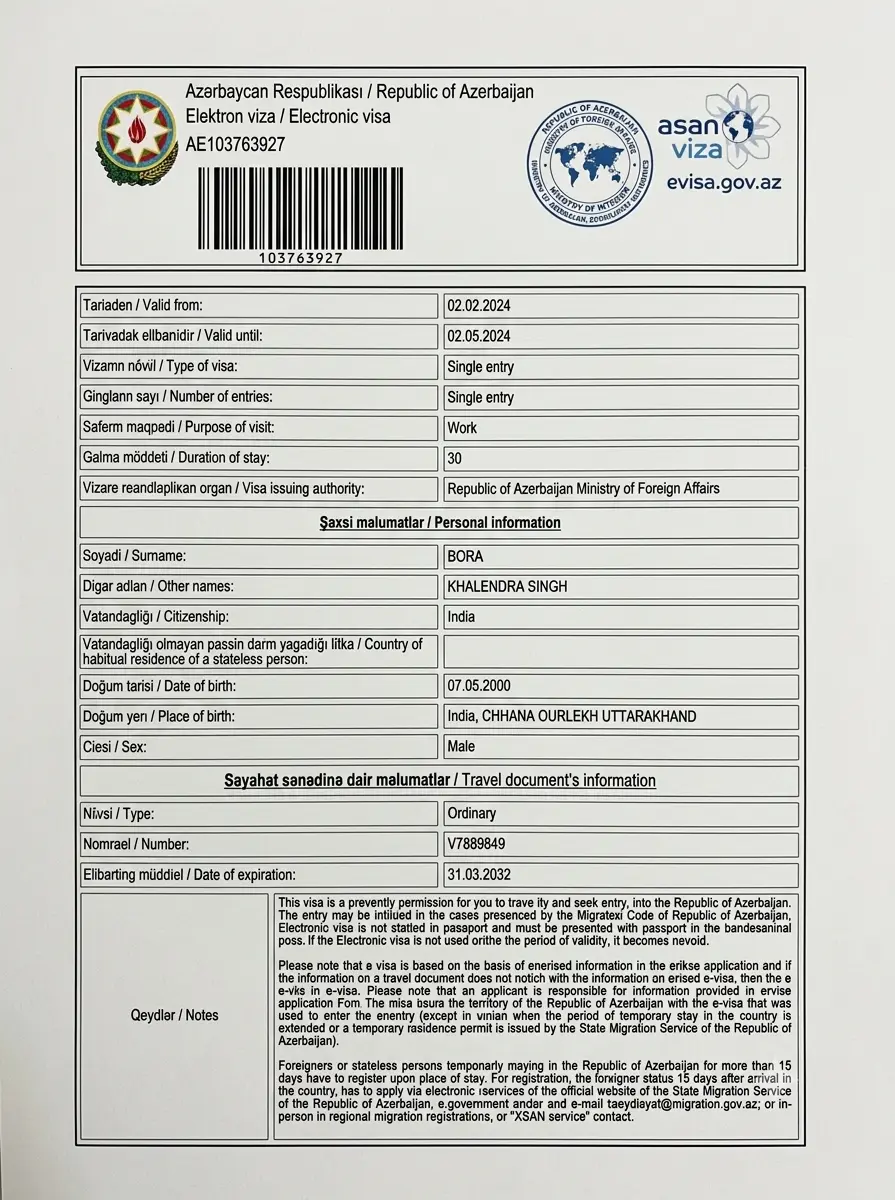
3. The application was refused
Seeing a "Rejected" status is frustrating, especially since the government application fees are entirely non-refundable regardless of the outcome.
If you are rejected, the system usually provides a brief reason. The most frequent culprits are uploading a blurry passport scan where the bottom numbers (the MRZ code) are unreadable, or applying with a passport that expires too soon.
If you were rejected because of a simple upload error or a typo, you can absolutely submit a new application with the corrected information. However, if you were rejected for security reasons, or because you have previously overstayed a visa in Azerbaijan, submitting a new online application won't change the outcome. In those scenarios, your only recourse is to contact your nearest Azerbaijani diplomatic mission to plead your case in person.
My Azerbaijan eVisa has been showing as pending for 4 days and I was starting to panic since my flight is next week. This post really helped me stay calm and understand what could cause delays. I checked my application and realised my passport number had a small typo. I have now reapplied with correct details. Fingers crossed! Really appreciate the step-by-step guidance on what to do next.